The AI Expense Tracker for Small Business.
Stop losing receipts and missing tax deductions. TaxLens is the small business expense tracker that auto-categorizes every purchase and maximizes your write-offs.
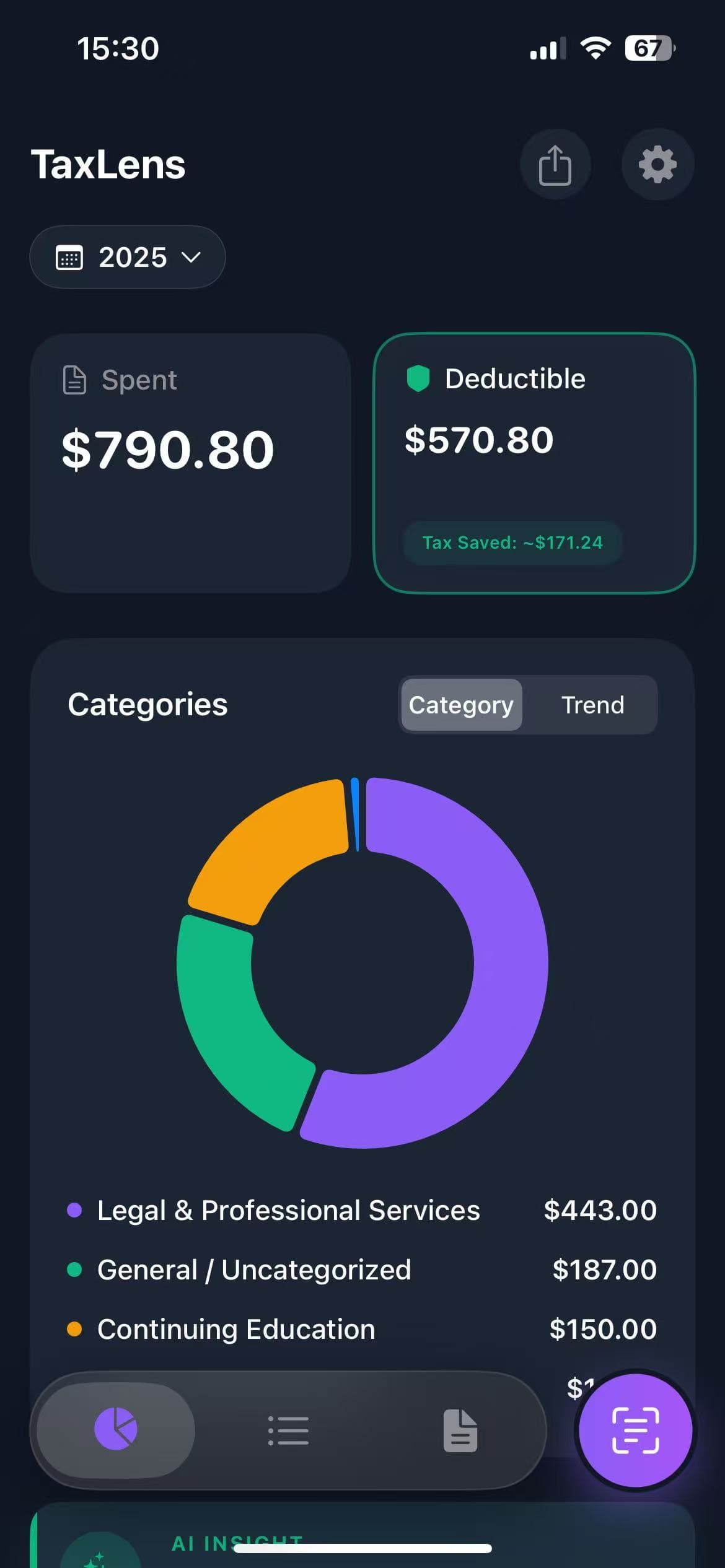
Track Expenses in 3 Simple Steps
No more spreadsheets, shoeboxes, or manual data entry. TaxLens turns any receipt into a tracked, categorized expense.
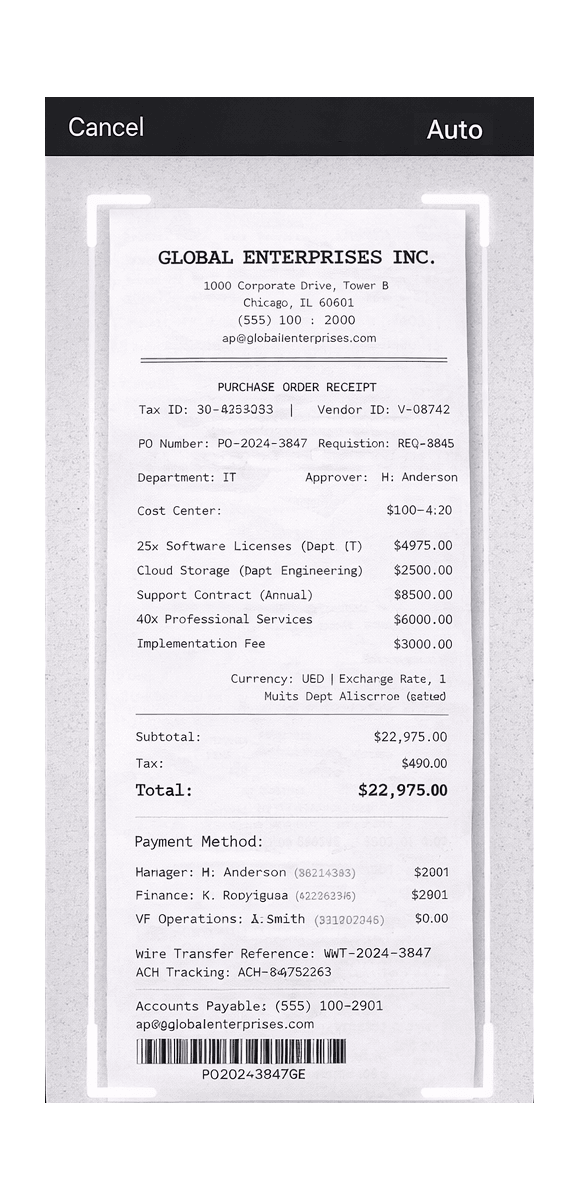
Snap Your Receipt
Point your camera at any receipt. AI extracts merchant, date, total, tax, and line items — all in under 3 seconds.
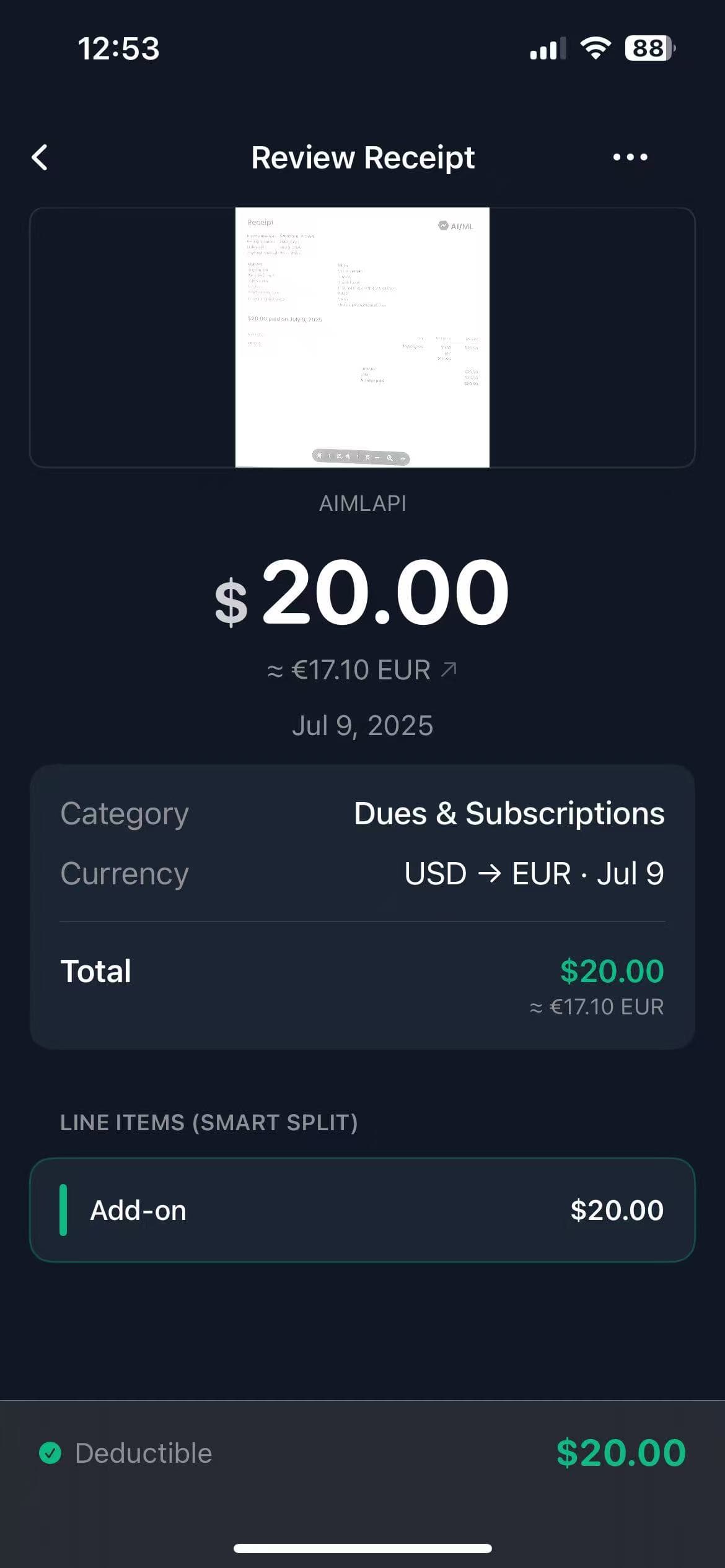
Auto-Categorize
TaxLens applies IRS-friendly tax categories automatically. Business vs. Personal is sorted instantly with AI confidence scoring.
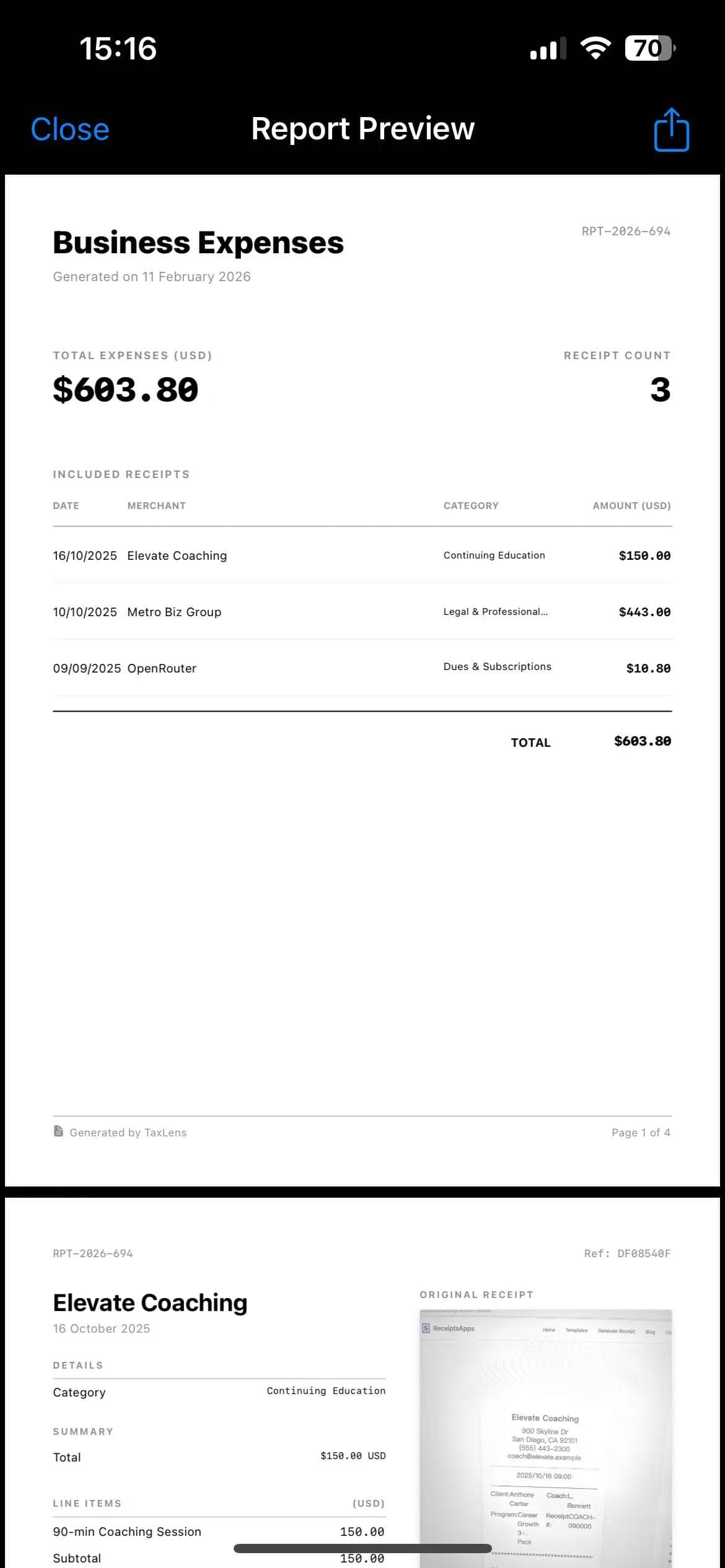
Track & Export
Watch your tax savings grow in real-time. Export audit-ready reports as CSV for QuickBooks or PDF for your accountant.
Everything You Need to Track & Save
The most complete expense tracking app for tax-conscious professionals.
Snap to Track
Point your camera at any receipt. Our AI instantly extracts merchant, date, totals, and tax — turning paper into organized expense entries in seconds.
AI Auto-Categorization
Every expense is automatically sorted into IRS-friendly tax categories. Business vs. Personal separation happens instantly — no manual tagging needed.
Real-Time Tax Insights
See your Total Spent, Total Deductible, and Estimated Tax Saved at a glance. Visual breakdowns by category help you make smarter spending decisions.
Audit-Ready Reports
Generate professional PDF reports with receipt images attached, or export CSVs compatible with QuickBooks, Excel, and other accounting software.
Multi-Currency Tracking
Traveling for business? TaxLens auto-detects 30+ currencies and converts amounts using historical exchange rates based on receipt date.
Private & Secure
Your financial data stays on your device or iCloud. No ads, no data selling, no third-party access. Built with privacy as a first principle.
Why Freelancers Switch to TaxLens
Manual expense tracking costs you time and money. See how TaxLens compares.
Manual Expense Tracking
Hours of data entry, lost receipts, and the constant worry you're missing deductions every tax season.
- ✗Hours of manual data entry every month
- ✗Lost receipts = missed tax deductions
- ✗No auto-categorization for tax purposes
- ✗Messy spreadsheets that aren't audit-ready
- ✗No real-time view of deductible spending
Avg. missed deductions for freelancers
AI-Powered Expense Tracking
Snap any receipt and TaxLens handles the rest — categorized, audit-ready, and tax-optimized in seconds.
- ✓Snap a receipt → tracked in 3 seconds
- ✓Every receipt digitized and searchable
- ✓AI auto-categorizes by IRS tax rules
- ✓Audit-ready PDF & CSV exports anytime
- ✓Real-time dashboard of tax savings
Avg. extra deductions captured by TaxLens users
Built for Tax-Smart Professionals
Whether you're freelancing, running a business, or managing properties — TaxLens adapts to your workflow.
Freelancers & Contractors
Spending hours on spreadsheets every tax season?
TaxLens auto-tracks every expense and separates business from personal — so you never miss a write-off.
Small Business Owners
Worried about surviving an IRS audit?
Every receipt is digitized, categorized, and export-ready. You're always audit-proof with zero extra effort.
Real Estate Agents
Client lunches, mileage, staging costs — impossible to track?
Snap receipts on the go between showings. TaxLens categorizes each one so you claim every deduction.
Expense Tracker FAQ
What is the best expense tracker for small business?
TaxLens is widely regarded as the best expense tracker for small business because it combines AI-powered receipt scanning with automatic tax categorization. Unlike generic trackers, TaxLens is built specifically for tax compliance — it separates business from personal expenses, generates audit-ready reports, and exports to QuickBooks-compatible formats.
How does TaxLens track expenses?
Simply snap a photo of any receipt. TaxLens uses AI to extract merchant name, date, total amount, tax, and line items. It then auto-categorizes the expense into the correct tax deduction category. You can also import digital receipts and PDFs. All data is stored securely on your device or iCloud.
Can I use TaxLens as a replacement for spreadsheets?
Absolutely. TaxLens eliminates the need for manual expense spreadsheets. It automatically organizes expenses by category, date, and amount — and lets you export everything as CSV or PDF at any time. Most users save 5+ hours per month compared to manual tracking.
Is TaxLens free to use?
Yes, TaxLens offers a generous free plan that includes AI receipt scanning, auto-categorization, and basic reporting. Premium features like unlimited exports and advanced analytics are available via subscription.
Does TaxLens work with QuickBooks?
Yes. TaxLens exports CSV files that are fully compatible with QuickBooks Desktop and QuickBooks Online. Each export includes merchant, date, amount, category, and currency — ready to import directly into your books.
How is this different from a receipt scanner?
A receipt scanner just digitizes paper. TaxLens is a complete expense tracking system — it scans, categorizes, tracks spending patterns, calculates potential tax savings, and generates audit-ready reports. Think of it as your AI bookkeeper in your pocket.
Start Tracking Expenses in 30 Seconds
Download TaxLens, snap your first receipt, and watch your tax deductions add up. No signup forms. No credit card.
Download Free on App StoreFree on iOS · No account required · Privacy-first