The AI Receipt Scanner for QuickBooks & Tax Deductions.
Turn paper receipts into QuickBooks-friendly data instantly. Scan, categorize, and export CSVs that import seamlessly into your accounting software. No manual data entry.
Scan for QuickBooks Free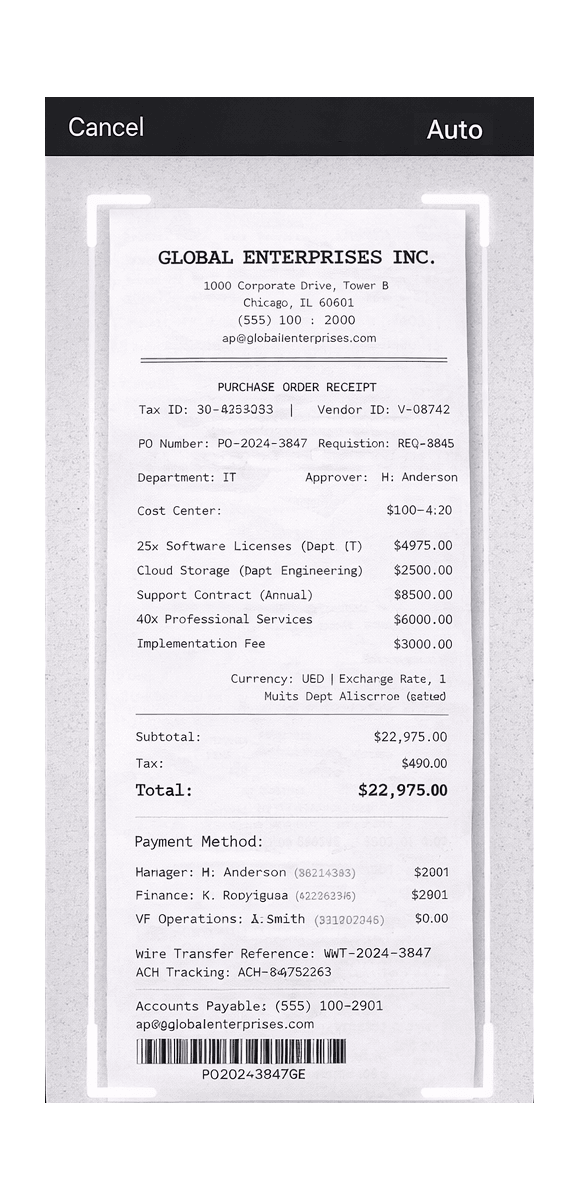
From Pocket to Ledger in 3 Steps
No manual data entry. No spreadsheet formatting. Just scan and export.
Snap
Point your camera at any receipt. Our AI extracts merchant, date, totals, tax, and line items — instantly.
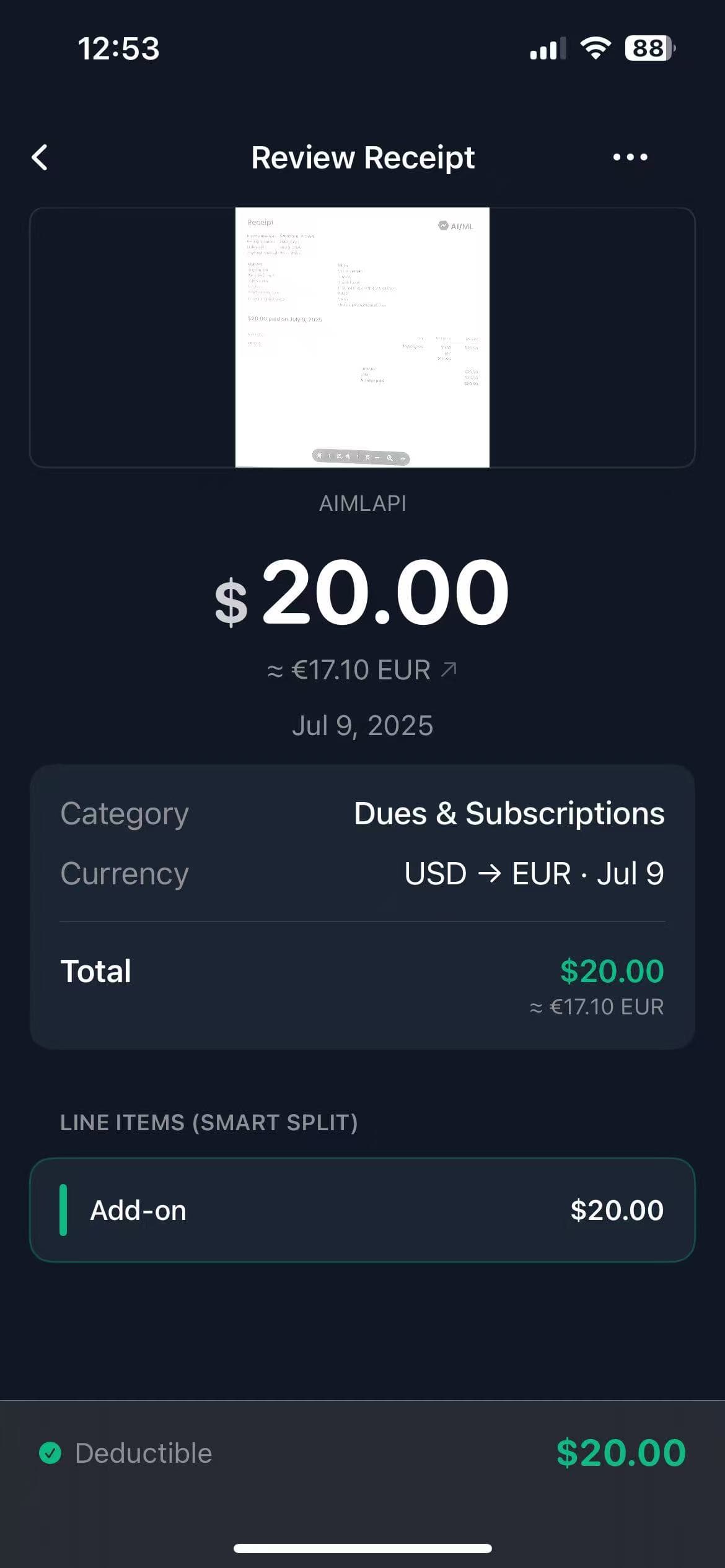
Review
TaxLens auto-categorizes expenses into tax-friendly categories that match your QuickBooks chart of accounts.
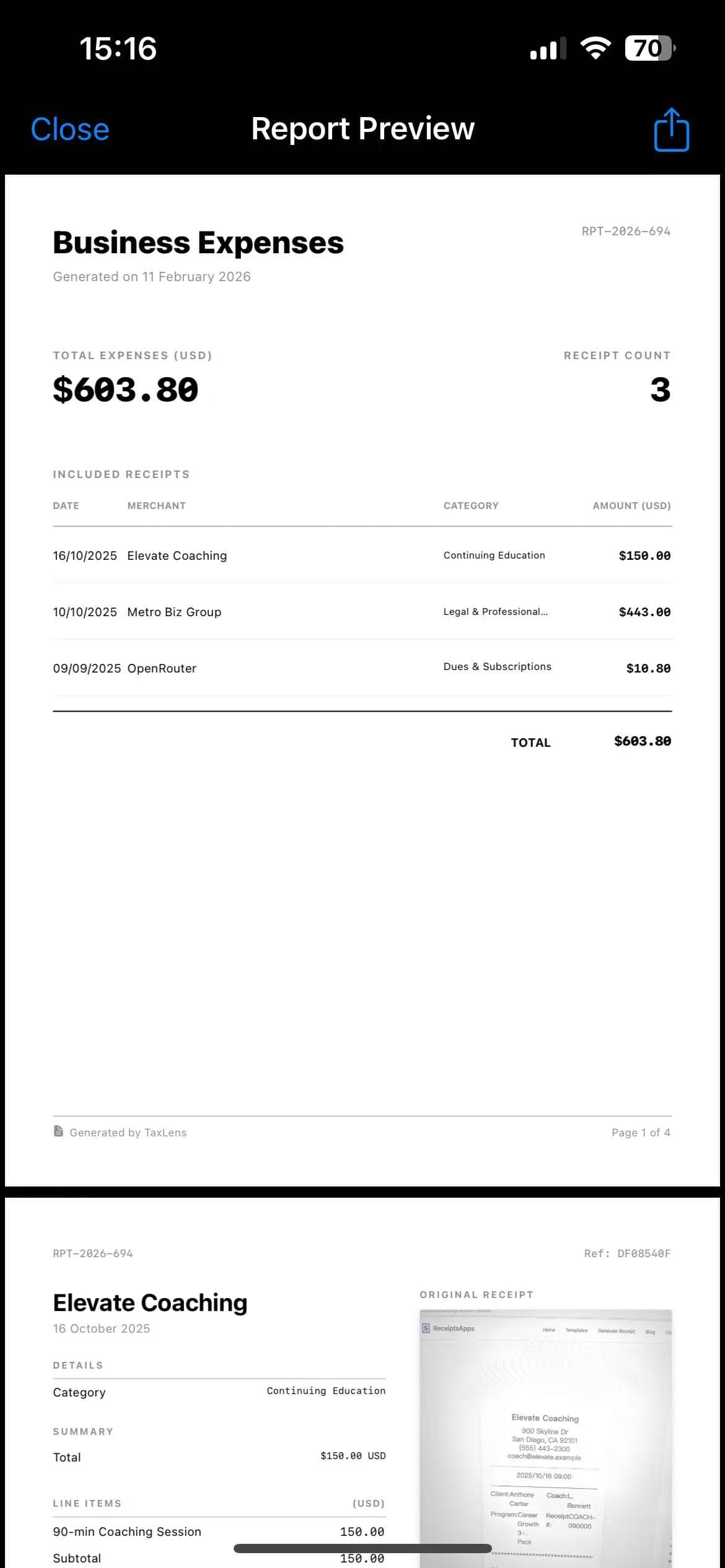
Export
One-tap export to CSV optimized for QuickBooks Desktop & Online. PDF audit packets also included.

QuickBooks Ready
1-tap export · All fields mapped
Why use TaxLens instead of
the default app?
QuickBooks is great at accounting. TaxLens is great at scanning. Use both.
10x Faster Scanning
Don't wait for QuickBooks' slow upload. Snap a receipt and process it in 3 seconds — we specialize in scanning so it's faster and more accurate.
Review Before Import
You control your books. Review and correct AI categorizations in TaxLens before they clutter your QuickBooks ledger. No surprises.
Private by Design
Keep raw receipt data on your device. Only export what you need — no cloud lock-in, no data selling, no third-party access.
“Highly recommend. I couldn't afford QuickBooks monthly fee and this makes up for it. I use it for keeping track of all my receipts so I can have a report at the end of the year for taxes. This app does exactly that. Very easy to use too.”
acassanovadavis
App Store Review
Frequently Asked Questions
Does TaxLens integrate directly with QuickBooks Online?
TaxLens generates industry-standard CSV files formatted specifically for easy import into QuickBooks Desktop, QuickBooks Online, Xero, and Excel. This gives you full control over the data before it enters your books.
Does TaxLens work with QuickBooks Self-Employed?
Yes! Since TaxLens exports standard CSV files, you can import your expense data into QuickBooks Self-Employed, QuickBooks Online, or QuickBooks Desktop. The format is compatible with all versions.
Can it handle multi-currency receipts for QuickBooks?
Yes. TaxLens auto-detects over 30 currencies and converts amounts using historical exchange rates. The converted amounts are included in your CSV export, ready to import into your main QuickBooks ledger.
What data fields are included in the CSV export?
Each export includes merchant name, date, subtotal, tax amount, total, currency, category, and Business/Personal classification. These fields map directly to standard QuickBooks import templates.
Can I use TaxLens as a receipt keeper app for audit protection?
Absolutely. TaxLens stores original receipt images alongside extracted data. You can generate PDF audit packets that include both the receipt photo and categorized data — perfect for tax season or IRS audits.
Ready to automate your bookkeeping?
Download TaxLens, scan your first receipt, and export a QuickBooks-ready CSV in under 60 seconds.
Download TaxLens NowCompatible with QuickBooks Online, Desktop, Self-Employed, Xero & Excel.