Multi-Currency Receipt Converter.
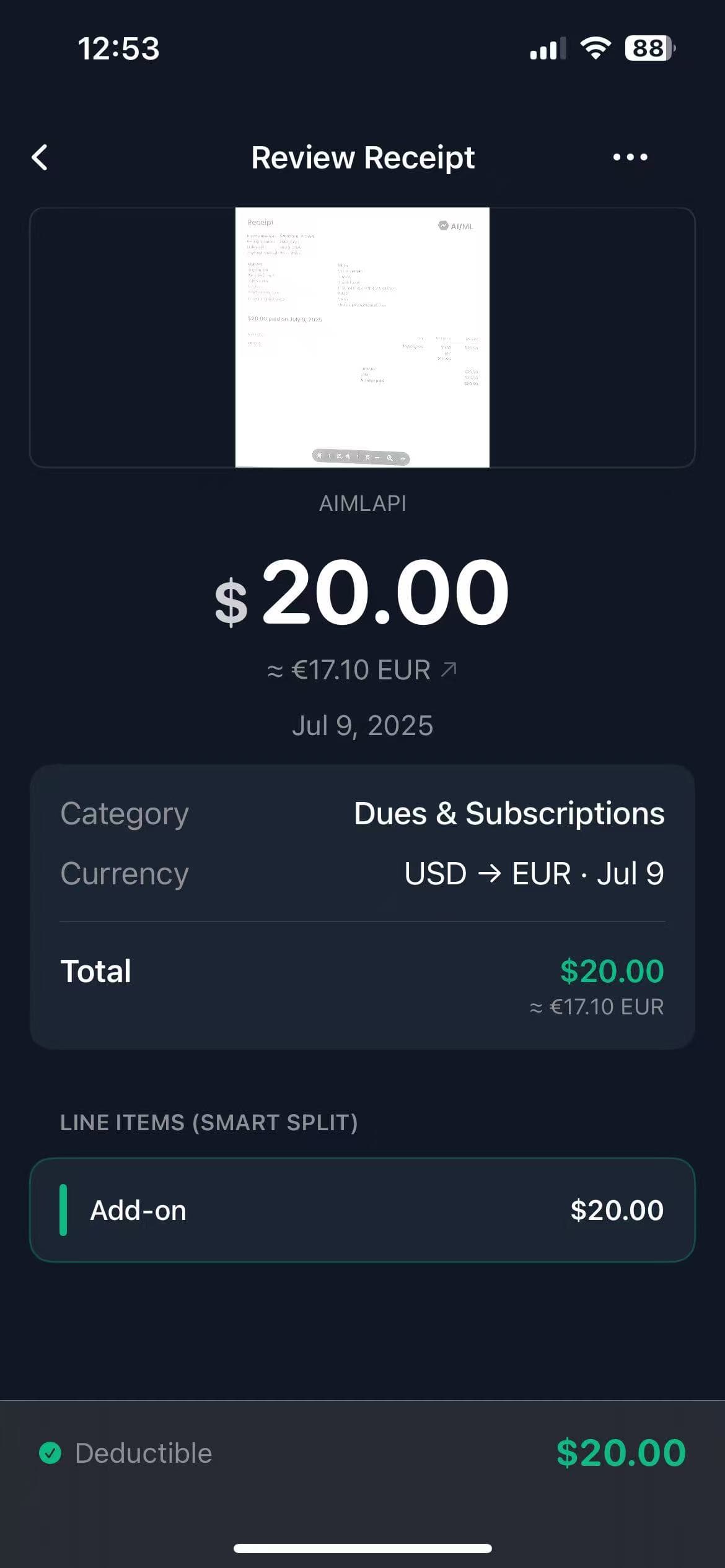
Business travel expenses made simple. Scan any receipt in the world, and TaxLens will auto-detect the currency and apply the exact historical exchange rate for that date.
The Currency Engine Built for Accountants
Most apps just change the symbol. TaxLens goes further — matching every receipt to the exact rate on the day it was issued, with full audit documentation.
Auto Currency Detection
AI reads currency symbols (€, £, ¥, ฿), merchant address, and card data to identify the correct currency — no manual input required.
Date-Matched Historical Rates
TaxLens reads the receipt date and fetches the exact forex rate from that specific day. Not today's rate. Not an average. The exact rate.
VAT & Tax Line Separation
Foreign VAT, GST, and service tax amounts are extracted and labeled separately — essential for EU VAT reclaim and international compliance.
Dual-Currency Reports
Every exported CSV and PDF shows the original receipt currency alongside the converted home-currency amount, side-by-side — clear for any accountant.
FX Rate Stamped in Exports
The exchange rate used, its source, and the conversion date are embedded in every report — so your claims are fully auditable with no guesswork.
Merchant Country Tracking
Each receipt retains its country of origin, making cross-border expense compliance and per-country spend analysis effortless.
No More Manual Math for International Travel.
The biggest headache of international business travel is figuring out the exact exchange rate when you return home.
✕Standard Expense Trackers
- ✕Force you to manually type in the currency symbol.
- ✕Convert using today's rate — wrong for receipts from months ago.
- ✕No FX rate recorded — impossible to audit or verify later.
- ✕Foreign VAT mixed in with totals — lost deduction opportunity.
✓TaxLens Currency Engine
- ★
Auto-Detection
AI detects symbols (€, £, ¥) or merchant location to infer currency instantly.
- ★
Date-Exact Historical Rates
Fetches the forex rate from the precise day on the receipt.
- ★
Rate Stamped in Reports
Every export records the FX rate + source for full auditability.
- ★
Foreign VAT Labeled
Tax lines extracted and shown separately for reclaim research.
- ★
Multi-Script OCR
Reads receipts in Japanese, Korean, Arabic, and European scripts.
Built for Anyone Who Crosses a Border for Work
Frequent Business Travelers
Scan hotel bills, airport meals, and conference fees across 30+ countries. Come home to a single, converted report — ready for reimbursement.
International Freelancers
Invoice clients in multiple currencies and track your vendor expenses abroad. Keep your books clean without ever touching a currency calculator.
Finance Teams & Accountants
Receive expense reports where every foreign receipt already shows the original amount, converted amount, and the exact rate used — audit-ready from day one.
Currency Converter FAQs
Does TaxLens support foreign currencies?
TaxLens automatically detects and supports over 30 global currencies including EUR, GBP, CAD, AUD, JPY, and CHF. Simply set a 'Home Currency' in settings, and all foreign receipts are converted automatically without any manual input.
How accurate is the currency conversion?
TaxLens conversion is highly accurate because it reads the date printed on your receipt and fetches the exact historical forex rate from that specific day. This ensures precise bookkeeping, even if receipts are scanned weeks after a trip.
Is the exchange rate recorded in exported reports?
Every PDF and CSV export includes the original receipt amount, the converted home-currency amount, and the exact FX rate applied. This provides a timestamped record that makes your expense claims fully auditable and defensible.
Does TaxLens handle foreign VAT or GST?
TaxLens detects and extracts foreign tax lines (including EU VAT, Australian GST, and UK VAT) and labels them separately from the receipt total. This separation is essential for businesses reclaiming foreign VAT through tax filings.
What if the currency on the receipt doesn't match the country?
TaxLens cross-references the currency symbol, merchant address, and payment context to determine the correct currency. If there is any ambiguity, you can easily override the detected currency on any receipt with a single tap.
Explore More TaxLens Features
Everything you need to automate bookkeeping and file with confidence.
AI Receipt Scanner
Scan receipts with 99% accuracy using context-aware AI.
Itemized Receipt Scanner
Extract every line item to split business and personal expenses easily.
Tax Deduction Finder
Automatically flag business expenses to maximize tax write-offs.
Audit Ready Reports
IRS-compliant PDFs with receipt images, or clean Excel/CSV exports for your accountant.
Secure Storage
Private on-device vault. No ads, no data selling.