AI-Powered Receipt Scanning & Data Extraction.
Scan receipts with 99% accuracy. Stop typing and let our context-aware AI instantly extract merchants, totals, and IRS-ready tax categories.
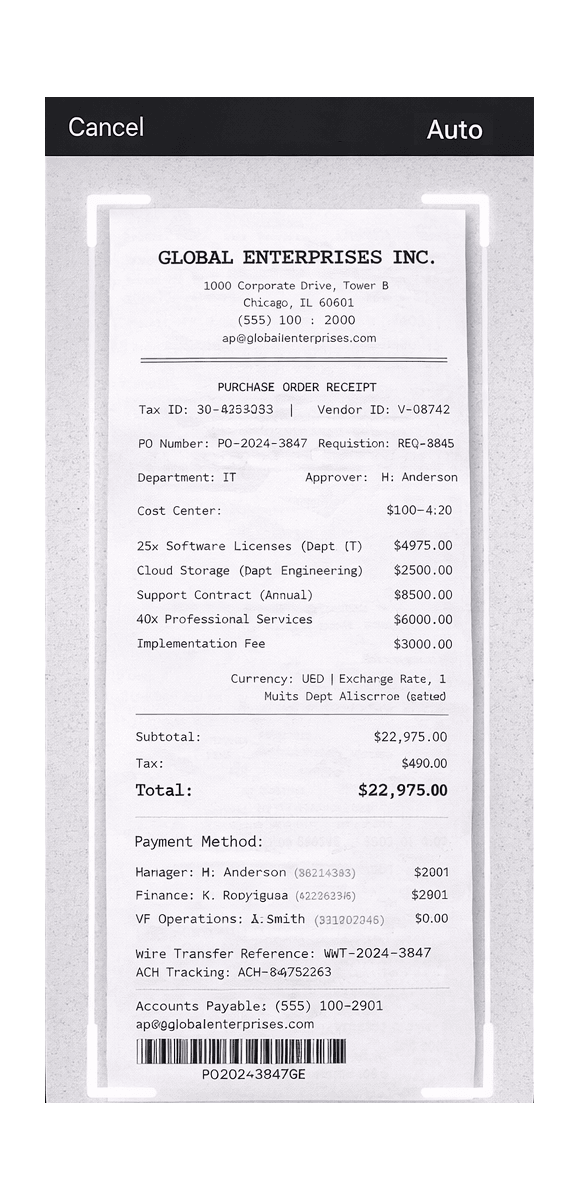




Beyond OCR: The Context-Aware Extractor
Traditional receipt scanners just blindly read text. They don't understand what the text means, leaving you to fix typos and figure out tax categories manually.
The OCR Problem
Standard scanners confuse the subtotal with the total, mistake tip amounts for taxes, and read phone numbers as prices.
The TaxLens AI Solution
Our machine learning models are trained on millions of receipts. We understand the layout, instantly identifying the true Merchant, Date, Tax, and Grand Total.
Tax-Ready Instantly
We don't just extract text. TaxLens automatically assigns the correct IRS tax category (e.g., Office Supplies, Meals) to maximize your deductions.
Clear the Shoebox Instantly with Batch Mode.
Procrastinating on your expenses? We built a scanner that works at your speed.
✕Single-Scan Apps
- • Snap a photo, wait 10 seconds for it to process, then save.
- • Repeat the tedious process 50 times for a month of expenses.
- • Can't easily select 10 screenshots from your camera roll at once.
✓TaxLens Batch Mode
- ★ Rapid Fire Camera: Keep tapping the shutter up to 20 times without waiting for processing.
- ★ Bulk Photo & PDF Import: Select an entire album of digital receipts or drop multi-page PDF invoices directly from your files.
- ★ Background AI: Let the AI process all 20 receipts in the background while you grab a coffee.
TaxLens vs. Generic Expense Trackers
| Feature | Other Apps | TaxLens AI |
|---|---|---|
| Data Extraction | Basic OCR (Lots of typos) | Context-Aware AI (99% Accuracy) |
| Tax Categorization | Manual Entry Required | Auto-Maps to IRS Categories |
| Processing Speed | Can take hours (human verification) | Under 2 seconds (On-Device) |
Frequently Asked Questions About AI Scanning
Is an AI receipt scanner better than standard OCR?
Yes. Standard OCR (Optical Character Recognition) only reads raw text, which often causes typos and misaligned data. AI receipt scanners use machine learning to understand the context of the layout—knowing the difference between a phone number and a tax ID, or a subtotal and a final total.
Can TaxLens scan handwritten receipts and tips?
Yes, TaxLens features advanced AI models specifically trained to recognize handwritten totals and tips, which are commonly found on restaurant receipts and taxi bills.
Can I import digital receipts and PDFs?
Yes! You don't just have to use the camera. TaxLens allows you to easily import screenshots, multi-page PDF invoices, or digital receipts directly from your iPhone's Photo Library or Files app. You can even use the iOS Share Sheet to send receipts directly from your email to TaxLens.
How many receipts can I scan at once?
You can use the continuous camera mode to snap up to 20 physical receipts in a single session before saving them. You can also select multiple images at once when importing from your iPhone's Photo Library.
Can I review the batch scans before they are categorized?
Yes. Once the batch is captured, they appear in a "Needs Review" queue where you can quickly swipe through them, confirm the AI's extracted totals, and tap "Save All."
Explore More TaxLens Features
Everything you need to automate bookkeeping and file with confidence.
Itemized Receipt Scanner
Extract every line item to split business and personal expenses easily.
Tax Deduction Finder
Automatically flag business expenses to maximize tax write-offs.
Audit Ready Reports
IRS-compliant PDFs with receipt images, or clean Excel/CSV exports for your accountant.
Multi-Currency
Auto-detect and convert 30+ global currencies using historical rates.
Secure Storage
Private on-device vault. No ads, no data selling.