You probably grew up hearing that if you start a business, you need QuickBooks. So you signed up.
Now you're paying $90 a month for QuickBooks Online Plus. You log in to check your profit, and suddenly you're staring at "Chart of Accounts," "Double-Entry Ledgers," and "Journal Entries."
You're a freelance graphic designer. Or a consultant. Or a DoorDash driver. You don't need a corporate accounting degree.
You just want to know what you spent on client coffee and software subscriptions so you don't get audited. If that sounds like you, you're paying too much for features you will literally never click on.
Here are the 6 best QuickBooks alternatives for 2026. We are focusing specifically on simpler, cheaper, and more practical tools for solo business owners.
Why You Might Need a QuickBooks Alternative
Let's be honest. QuickBooks is built for companies with payroll, physical inventory, and a dedicated bookkeeper.
If you are a solo consultant, forcing your business into QuickBooks is like buying a semi-truck to commute to your office job. It's expensive, heavy, and hard to park.
Then there is the price. The base tiers keep creeping up, and if you want anything beyond the absolute basics, you are paying nearly $1,000 a year. That is a massive chunk of change for a gig worker.
Snap & Done in Seconds
Auto-extracts Merchant, Total, Tax & Category.
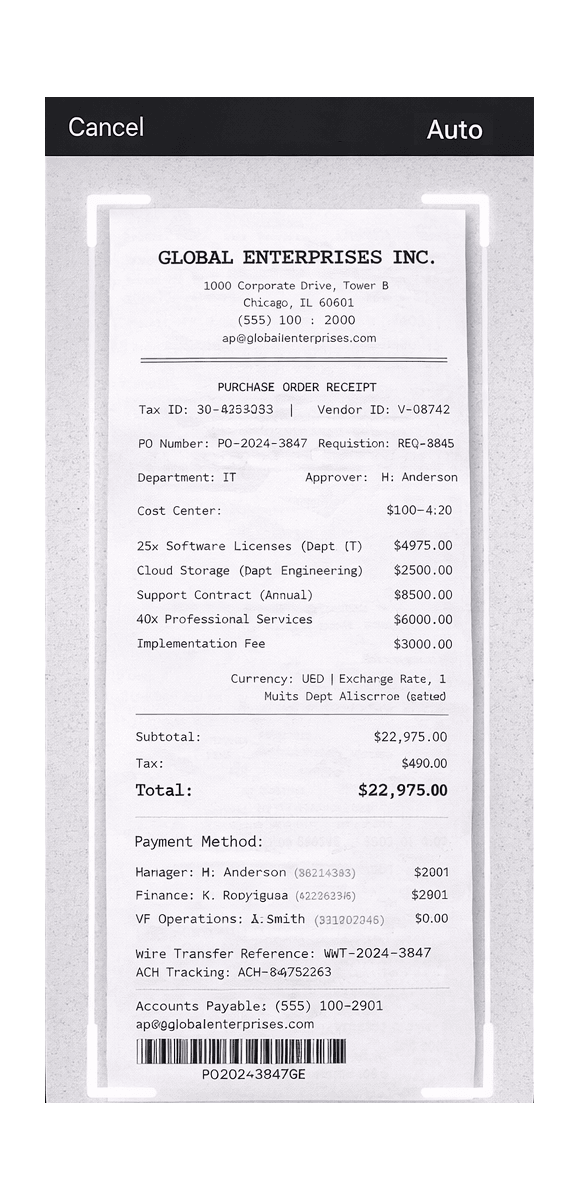
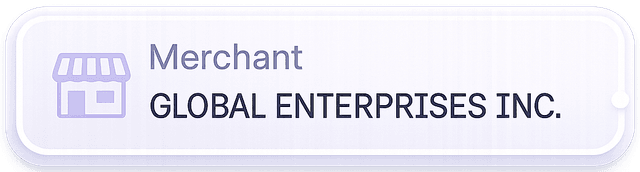
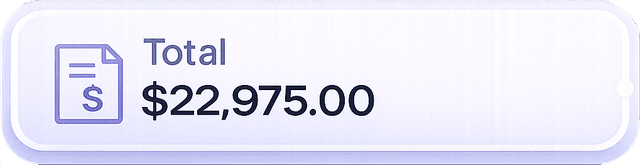

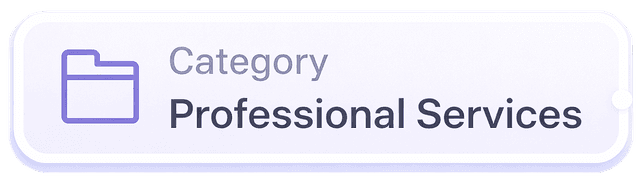
Most modern freelancers just need to snap a photo of a receipt, categorize it for taxes, and maybe send a few invoices. You don't need to reconcile bank feeds manually.
1. TaxLens (Best for Simple Expense Tracking & Receipt Scanning)
If you hate accounting, this is your stop. TaxLens is the ultimate anti-QuickBooks solution.
It strips away everything you don't need. There is no payroll, no complex inventory management, and no confusing accounting jargon.
TaxLens is built for one specific purpose: making sure you get every single tax deduction you deserve without pulling your hair out.
Imagine you just paid for a client lunch. Instead of saving the paper receipt in a shoebox and manually typing it into a spreadsheet later, you just use TaxLens. You snap a picture of that $45 restaurant bill while walking back to your car.
The AI instantly reads the merchant, date, and amount. It automatically categorizes it as a "Business Meal" for your Schedule C tax form. Then you throw the paper away.
When April rolls around, you don't have to hire a CPA to untangle a messy QuickBooks ledger. You just tap a button in TaxLens and export a clean, IRS-ready PDF packet. It has all your expenses tallied up, with the receipt images attached.
💡 My Take:
If your entire business model is "I provide a service and I buy things to run my business," stop paying for QuickBooks. TaxLens is dramatically cheaper. It actually saves you money by catching deductions you would normally forget to log.
Stop paying for features you don't need.
Download TaxLens Free. Snap receipts & get tax deductions.
2. Xero (Best for Growing Businesses)
If you actually do need real accounting software but you are just fed up with Intuit's pricing, Xero is the closest direct competitor.
It handles double-entry accounting properly. If you plan to hire employees or open a physical retail store soon, Xero can handle that growth.
The interface is generally considered cleaner and more modern than QuickBooks. Your accountant will also be perfectly happy receiving Xero files at tax time.
However, it is still full-blown accounting software. If you don't know what a balance sheet is, you will still have a learning curve here.
3. FreshBooks (Best for Service-Based Businesses & Invoicing)
FreshBooks started entirely as an invoicing tool. It has grown into a solid accounting platform over the years.
If your primary struggle is getting clients to pay you on time, FreshBooks is great. You can send beautifully branded invoices. Clients can pay you via credit card directly from the email.
It also tracks the time you spend on different projects. This makes billing hourly clients incredibly easy.
⚠️ Pro Tip:
FreshBooks charges you based on the number of active clients you have. If you work with dozens of one-off clients every month, you will be forced into their most expensive pricing tier very quickly. Keep an eye on those client limits.
4. Wave Accounting (Best Free Option)
It is hard to argue with free. Wave offers basic accounting and invoicing for zero dollars a month.
If you have literally zero budget for software right now, you should use Wave instead of a messy Excel spreadsheet. It connects to your bank account and lets you track income and expenses.
So how do they make money? They charge you transaction fees if your clients pay through their invoicing system. They also charge a premium for payroll services and dedicated bookkeeping support.
The main downside is their mobile app experience. Trying to categorize a $12 Uber receipt at a red light using Wave's mobile interface is frustrating. It is definitely built to be used on a desktop browser.
5. Zoho Books (Best for Automation & Scalability)
Zoho makes software for almost everything. If you are already using Zoho CRM or Zoho Mail, getting Zoho Books is a no-brainer.
It offers a crazy amount of automation. You can set up custom workflows to automatically send payment reminders or categorize specific recurring expenses.
But just like QuickBooks and Xero, it is a heavy piece of software. It takes time to set up properly.
6. QuickBooks Self-Employed (The "Ecosystem" Alternative)
Yes, we are including a QuickBooks product on a list of alternatives. Why? Because many people buy QuickBooks Online Plus when they actually just need the Self-Employed version.
If you absolutely refuse to leave the Intuit ecosystem, you can downgrade to this version. It is cheaper and separates your personal and business expenses.
It integrates perfectly with TurboTax, which is its main selling point. If you do your own taxes using TurboTax every year, this makes the process slightly faster.
However, the receipt scanning feature is notoriously clunky compared to purpose-built tools like TaxLens. It often requires manual correction.
How to Choose the Right Accounting Software
Stop paying for features you don't understand. Ask yourself what your actual day-to-day workflow looks like.
Do you have W-2 employees, physical products in a warehouse, and a need to calculate depreciation? You probably need Xero or full QuickBooks.
Are you a freelance web developer, a real estate agent, or a creator? You just need to know how much money you made and what you can write off.
Common Mistakes When Switching Software
The biggest mistake people make is buying "aspirational" software. They buy a massive enterprise tool because they hope to be a massive enterprise in five years.
Don't do that. You will end up ignoring 90% of the dashboard and overpaying every single month. Buy the tool that solves your problem today.
Another common mistake is hoarding physical receipts because you don't trust your new software. If your tool has a solid scanner, trust it. The IRS accepts digital copies.
Conclusion
The best accounting software isn't the one with the most menus. It is the one you are actually willing to open and use.
If you are a solo business owner, you shouldn't need an accounting degree to file your taxes. You just need a system that works.
Stop fighting with double-entry ledgers. Download TaxLens on the App Store today. Snap a photo of your next business expense, let the AI categorize it, and get back to actually running your business.
Your time is worth more than learning complex software.
Ditch Double-Entry Ledgers. Use TaxLens for Free.
Join professionals who save 5+ hours every month on bookkeeping.
Download on the App Store