How to Use a Receipt Scanner for Taxes (And Maximize Your Deductions)
Before
Crumpled receipts in a shoebox, faded ink, spreadsheet chaos, missed deductions
After
Auto-scanned, categorized, audit-ready PDF reports, every deduction captured
For freelancers and small business owners, tax season usually means one thing: panic.
You spend hours digging through your wallet, deciphering faded coffee shop receipts, and trying to remember if that $45 dinner was a personal meal or a legitimate business meeting. Every lost or unreadable receipt is literally money down the drain in missed tax deductions.
The easiest way to stop this cycle? Start using a dedicated receipt scanner for taxes.
Here is exactly why you need one and how to set it up in under two minutes.
Turn Receipts into Tax Deductions.
Why the IRS Hates the "Shoebox Method"
The IRS accepts digital copies of your receipts, but they have strict rules. If you are ever audited, you must prove the amount, the date, the place, and the business purpose of the expense.
A standard photo app or a messy Excel spreadsheet won't save you. You need a system built for compliance.
Using a smart receipt scanner for taxes solves the three biggest bookkeeping headaches:
No More Faded Ink
Thermal paper receipts fade in months. A digital scan preserves the exact image forever.
Instant Categorization
No more guessing tax categories. Smart apps separate "Office Supplies" from "Travel" automatically.
Audit-Proof Records
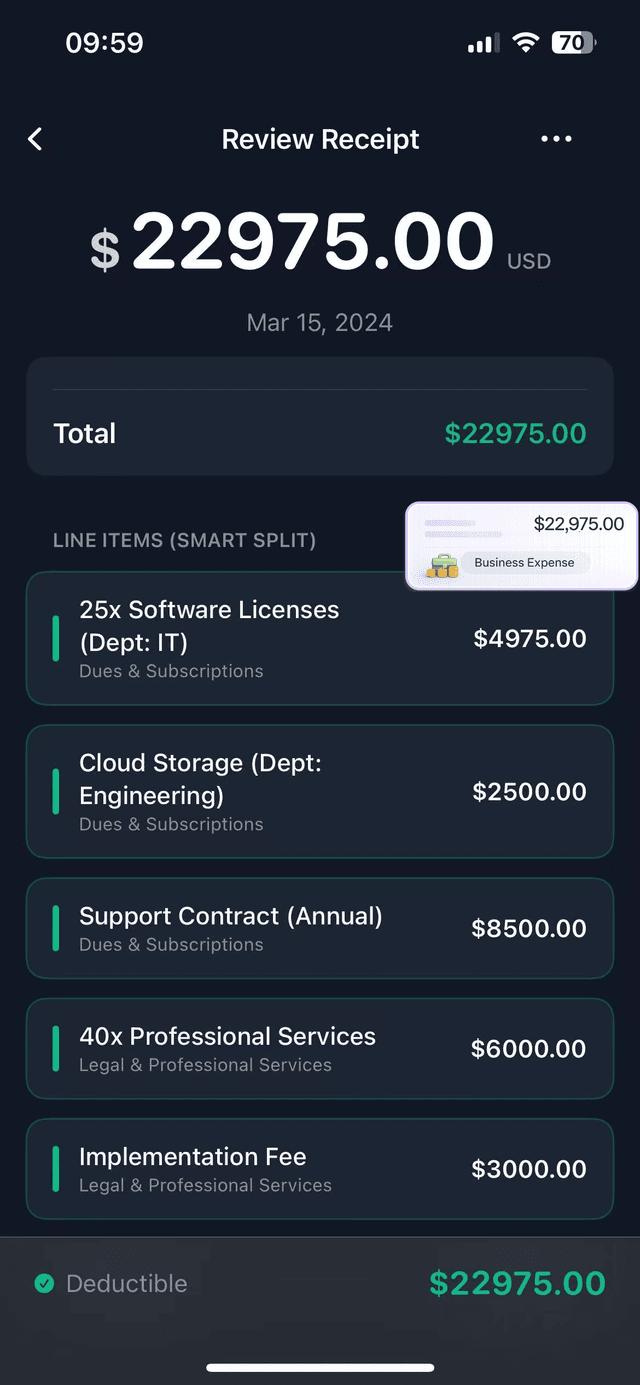
Your accountant gets exactly what they need — a clean PDF report with the receipt image attached to the expense line.
3 Steps to Automate Your Tax Prep with TaxLens
You don't need to be an accountant to get organized. TaxLens is an AI-powered receipt scanner designed specifically to turn your paper clutter into tax deductions.
Snap & Toss
The next time you buy a business expense, open TaxLens and take a photo. Our smart AI instantly extracts the merchant, date, total, and tax. Throw the paper away.
Let AI Categorize
TaxLens smartly distinguishes between Business and Personal expenses, mapping them to standard tax categories.
Export with Confidence
When tax season arrives, tap one button to generate a professional PDF audit packet or export a CSV for your accountant (or tax software like QuickBooks).
Start scanning your tax write-offs today.
Free on the App Store. No subscription required.
Frequently Asked Questions About Digital Receipts
Final Thoughts: Don't Wait Until April
The biggest mistake self-employed professionals make is waiting until the week before taxes are due to organize their expenses.
By using a reliable receipt scanner for taxes year-round, you save hours of spreadsheet work and guarantee you claim every single deduction you deserve.
Stop guessing your tax bill.
Download TaxLens on the App Store Free
Join thousands of freelancers filing with confidence this year.
Download on the App Store